mypreorderPOS with Online Ordering

Point of sale and online ordering in one

POS System with Online Ordering for Cafes & Restaurants

Take orders at the counter, online, in an app, at the table and at a self-ordering kiosk. One menu runs them all, and every order lands on the same kitchen screen.

  • Works with your existing POS
  • No commission on online orders
  • Runs in a web browser

Made by mypreorder, online ordering for Australian hospitality since 2011.

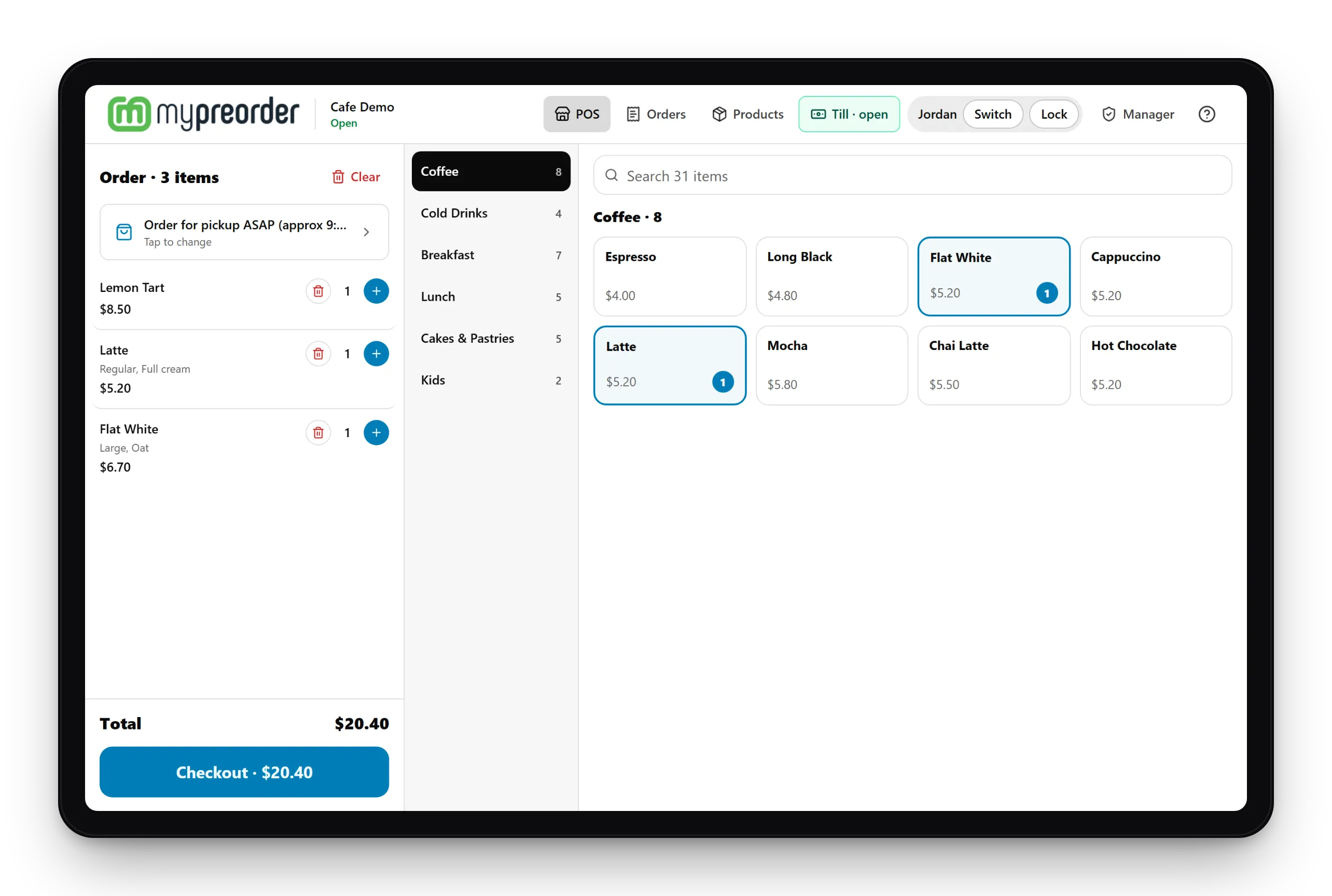
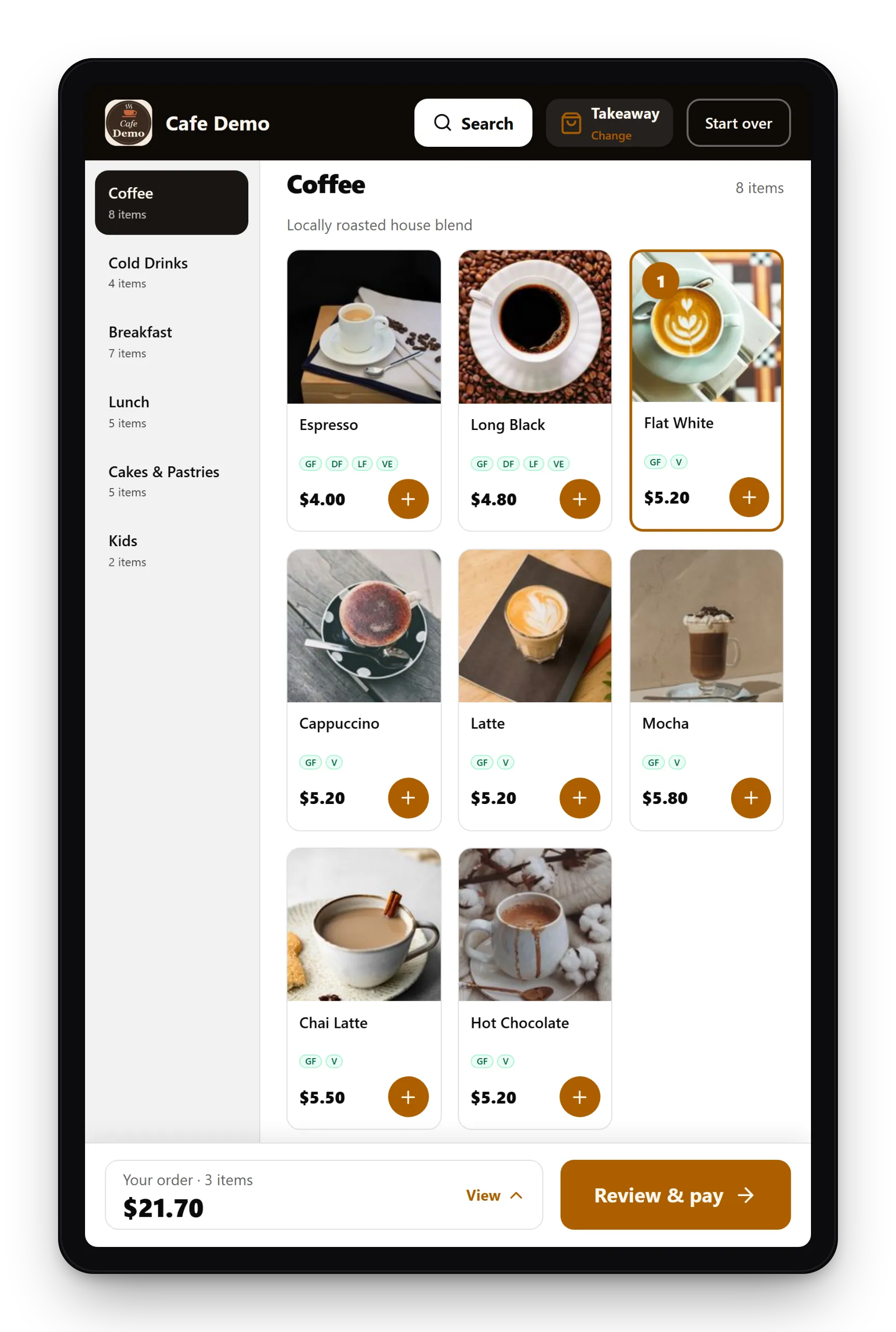
mypreorder point of sale (POS) on a tablet, with an order ticket, menu categories and coffee tiles

What's included

POS, Online Ordering, KDS and Kiosk in One System

Start with what you need now and add the rest later. Everything shares one menu and one merchant portal.

Growth & Pro plans

Point of Sale (POS)

Staff take counter and phone orders in the web browser on any tablet or phone. Send the amount to your Linkly-enabled EFTPOS terminal, or choose Other when the customer pays cash.

  • Phone orders for now or later
  • Vouchers and promo codes at the counter
  • PIN-protected manager mode for refunds

1 licence per store included. Additional licences can be purchased.
All plans

Online & QR Table Ordering

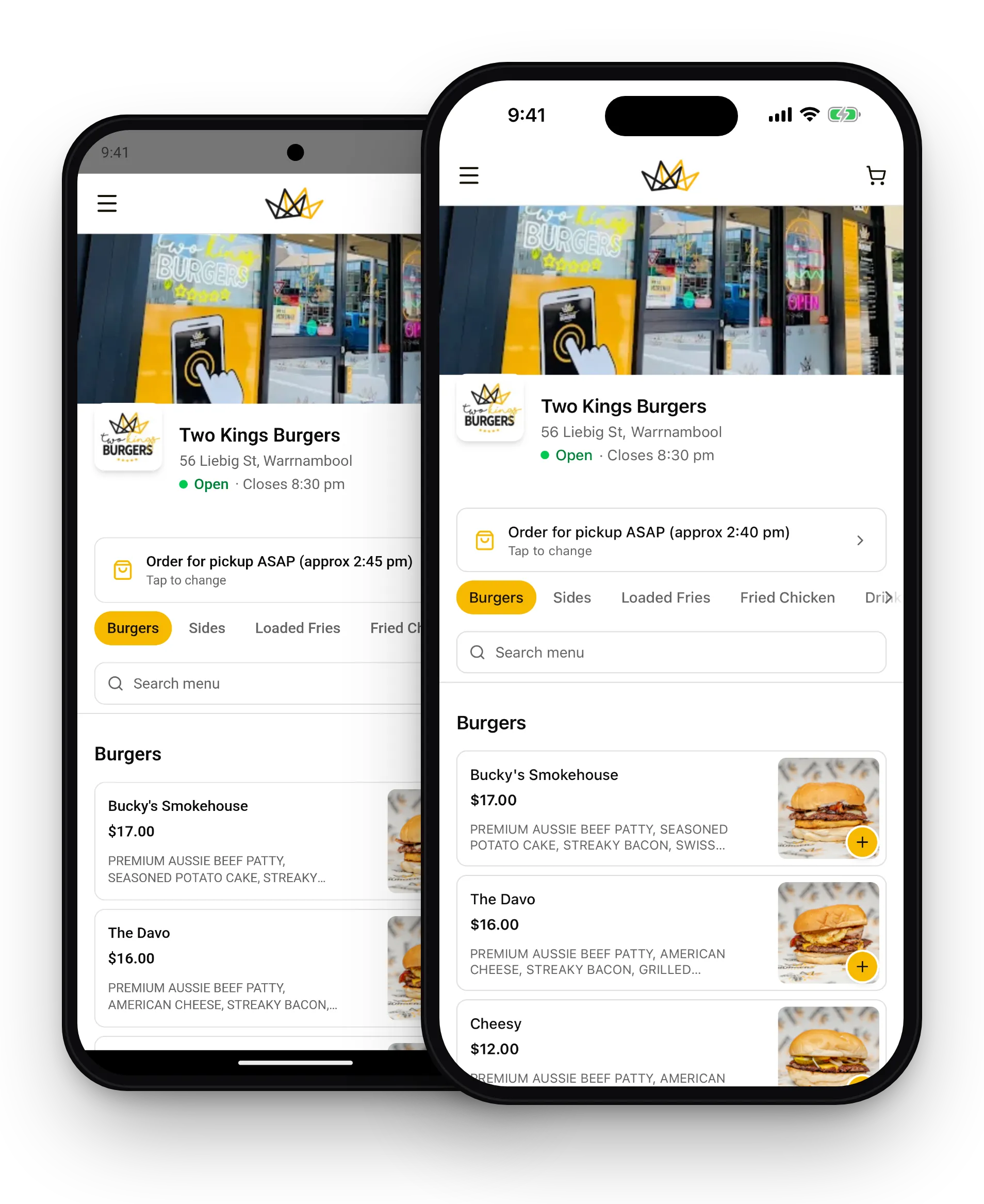
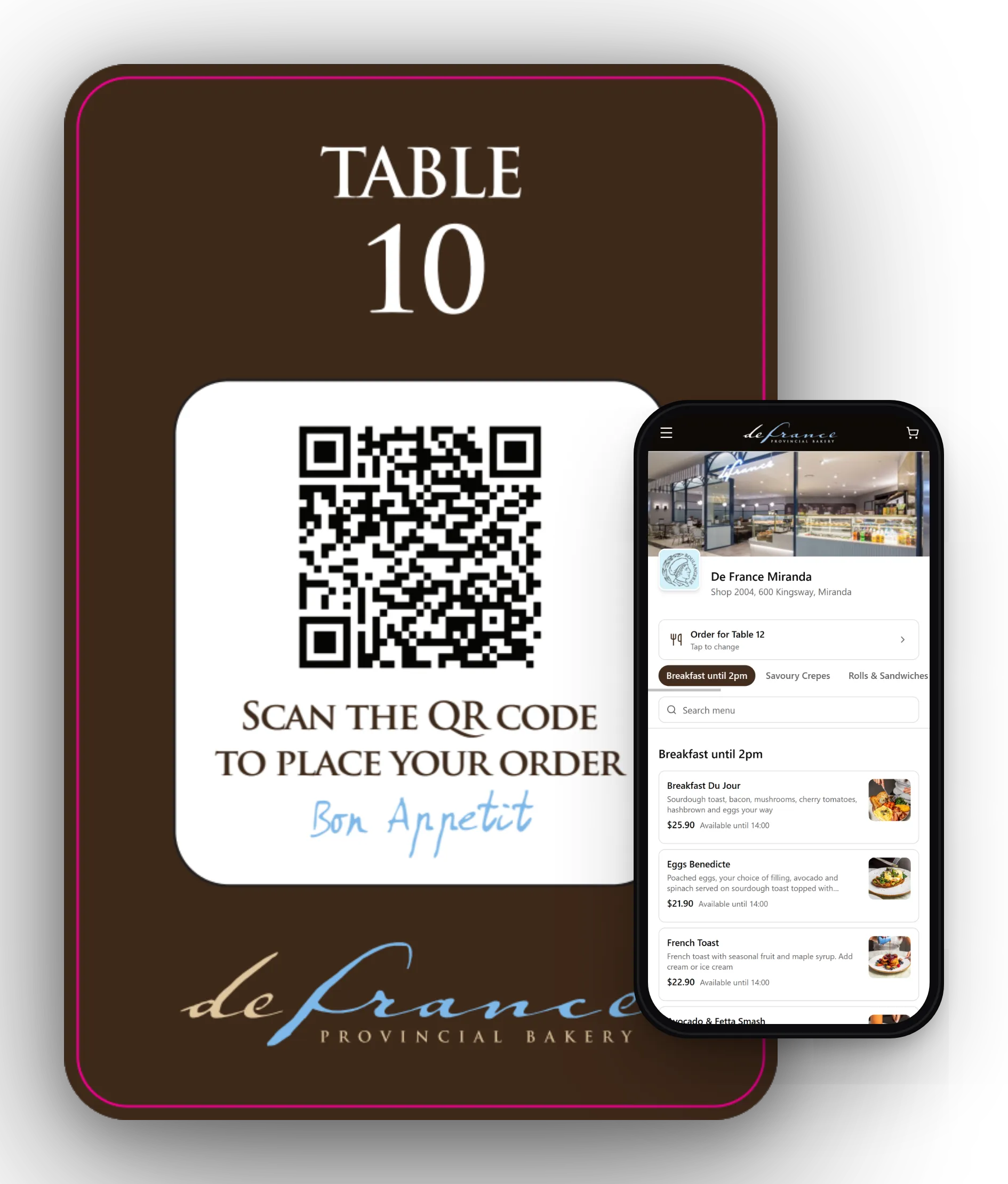
Your own ordering page and a listing in the mypreorder app for iOS and Android. QR codes on the tables let customers order and pay from their phone.

All plans

Kitchen Display System (KDS)

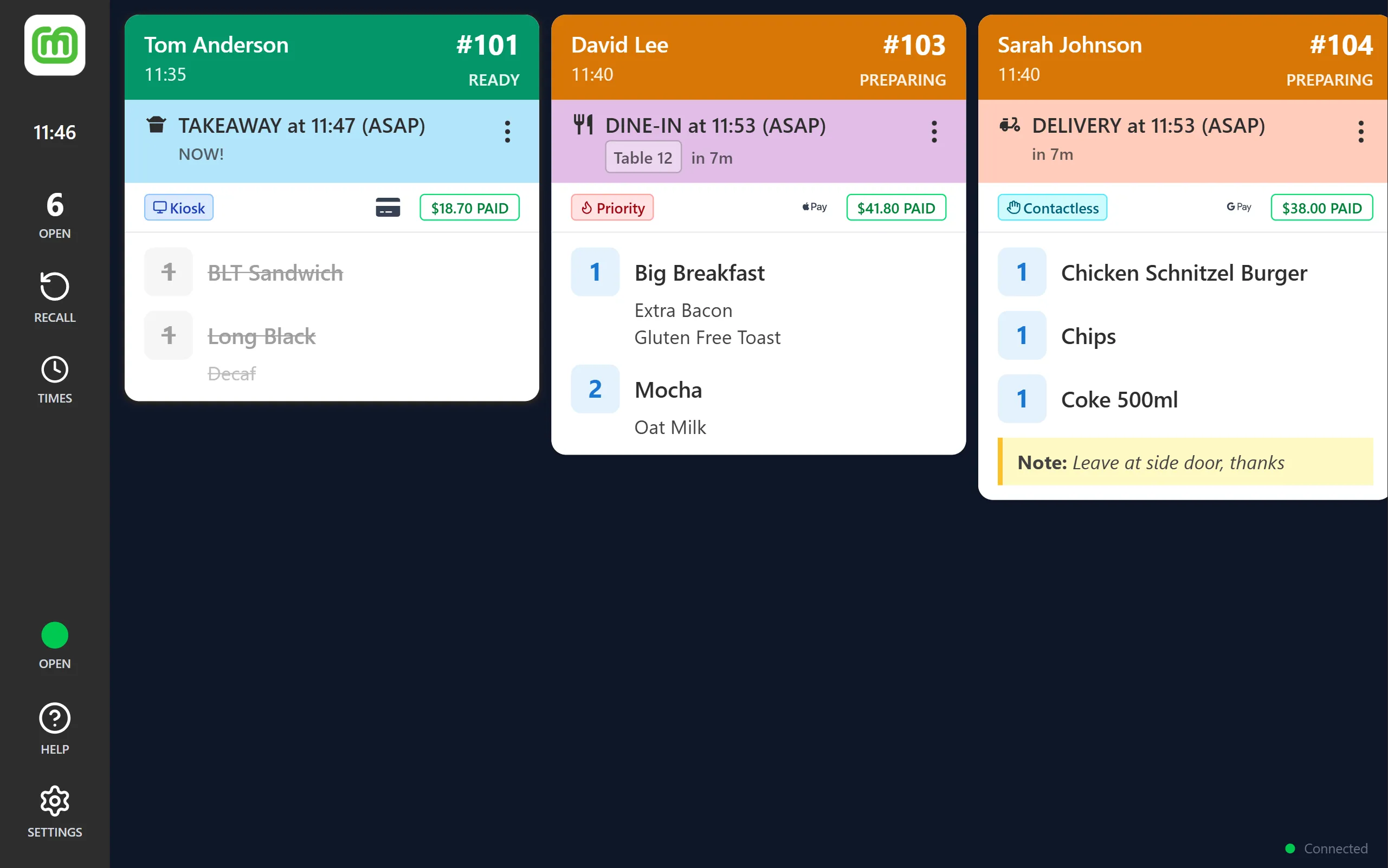
Every order from every channel on one screen in the kitchen, with docket printing and lead-time control.

1 licence per store included. Additional licences can be purchased.
Growth & Pro plans

Self-Ordering Kiosk

Customers order and pay for themselves on a touch screen, with card payments on the EFTPOS terminal beside it.

1 kiosk licence per store included. Additional kiosk licences can be purchased.

Pro plan

Your Own Branded Apps

iOS and Android apps and an ordering website in your name, with your logo and colours. Your kiosk carries your brand too.

How it works

How Orders Flow Through One System

Every channel orders from the same menu, and every order arrives in the same format, wherever it came from.

Orders come from

  • The counterPoint of Sale (POS)
  • OnlineYour ordering page
  • An appmypreorder app, or your own
  • The tableQR code ordering
  • The kioskSelf-Ordering Kiosk

Orders go to

  • Your existing POSUniwell, Square, Lightspeed and more, for one set of sales reports
  • Kitchen Display System (KDS)Ready to bump through each preparation stage
  • Docket printerA Star CloudPRNT printer in the kitchen

Why one system

One System Instead of Five

Plenty of venues run a POS from one company, online ordering from another and a kiosk from a third. That can work, but there's more to keep in step.

Separate systemsmypreorder
Your menuUpdated in each system, or synced between themUpdated once, used everywhere
Kitchen ordersCan arrive on different screens and printersOne kitchen screen, one docket format
Logins and billsOne for each productOne merchant portal and one monthly plan
Customer detailsSpread across systemsIn one place, and yours to export
CommissionDelivery apps take a cut of every orderNo commission. A card fee applies to online payments.
SupportA different company for each partOne team, since 2011

Already have a POS?

Online Ordering That Works With Your Existing POS

Happy with your POS? Keep it. Online, app, QR and kiosk orders go straight into it, so your sales reports stay in one place. With Square and Lightspeed, your menu syncs too.

Or use both: the mypreorder POS for quick counter and phone orders, with every order still reaching your existing POS.

  • Uniwell
  • Square
  • Lightspeed
  • Triniteq
  • POS systems on Tyro Connect

See all integrations on mypreorder.com.au

Our team love the printed order tickets. And I love the seamless integration with our POS and back up support from John and his team.

Sam Love, Port Fairy Coffee Roasters

We contacted John at mypreorder who helped us through the whole process, including planning, POS integration and training.

Phil Algar, Director, Level One Cafe (BankWest)

What you need

What You Need to Run It

It's all software, so it runs on devices you choose. We don't sell hardware: use what you have, or buy it from any supplier.

ForYou needFor card payments or printing
Point of Sale (POS)A tablet or phone with a web browser and an internet connectionAndroid and Windows apps are coming soonA Linkly-enabled EFTPOS terminalOur Tyro integration is awaiting Tyro's certification
Online & QR orderingNothing extra. Customers order on their own phonesCustomers pay online by card, Apple Pay, Google Pay or PayPal
Kitchen Display System (KDS)A tablet or screen in the kitchenWeb, Android, Windows or iOSOptional: a Star CloudPRNT docket printer
Self-Ordering KioskA Windows touch-screen PCFull screen in Microsoft Edge's kiosk modeA Linkly-enabled EFTPOS terminal beside it
Your Own Branded AppsNothing. We build and publish your appsThe same online payments as your ordering page

EFTPOS fees for in-store card payments are set by your bank or Tyro, not by us.

Getting Started

  1. Talk to us

    Tell us how you take orders today and what you'd like to add.

  2. We set up your store

    Send us your menu and logo. Online store set-up is free on every plan.

  3. Start taking orders

    Sign your staff in on the POS, put QR codes on the tables and open the kiosk.

POS with Online Ordering: Your Questions

What is a POS system with online ordering?

A point of sale (POS) that shares its menu and orders with your online ordering. Counter, online, app, QR table and kiosk orders all come through one system and land on the same kitchen screen. With mypreorder, the POS, online ordering, kitchen display system (KDS) and self-ordering kiosk all run from one menu.

What's the difference between a POS and a KDS?

The POS is where staff take orders and payments at the counter. The KDS is the screen in the kitchen that shows those orders to the people making them, from every channel, so the kitchen can work through them in order and mark each one ready.

Which plans include the POS?

The Growth and Pro plans include one POS licence and one self-ordering kiosk licence per store. Every plan includes online ordering and one KDS licence per store. Additional licences can be purchased.
Compare plans on mypreorder.com.au

What hardware do I need?

A tablet or phone with a web browser for the POS, a tablet or screen in the kitchen for the KDS, and a Windows touch-screen PC for the kiosk. To take card payments at the counter or kiosk, you also need a Linkly-enabled EFTPOS terminal. It's all software, and we don't sell hardware, so use devices you already have or buy them from any supplier.

Which EFTPOS terminals work?

Linkly-enabled terminals from the major Australian banks. Linkly connects the POS and kiosk to your terminal over the internet, so there's no cable between them. Our Tyro integration is built and is awaiting certification by Tyro.

Does it work with my existing POS?

Yes. Orders go straight into Uniwell, Square, Lightspeed, Triniteq and POS systems on Tyro Connect. You can keep your POS and still use the mypreorder POS for counter and phone orders.

See all integrations

Does it need an internet connection?

Yes. The POS runs in the web browser and needs an internet connection to take orders and payments.

Do you take a commission on orders?

No. You pay a monthly plan and a card processing fee on online payments. There's no per-order commission like the delivery apps charge. Fees for card payments on your EFTPOS terminal are set by your bank or Tyro.

Can I have my own branded app?

Yes. The Pro plan includes your own iOS and Android apps and an ordering website with your logo and colours, with no build fee.

Explore branded apps

Is it available in New Zealand?

Yes, at mypreorder.co.nz, with pricing in NZD. In New Zealand, card payments on your EFTPOS terminal depend on your EFTPOS provider.

Visit mypreorder.co.nz

Who runs this site?

mypreorder Pty Ltd, an Australian company that has run commission-free online ordering for cafes, restaurants and takeaways since 2011. Our main site is mypreorder.com.au.

Visit mypreorder.com.au

Talk to Us About Your Venue

Tell us how you take orders today. We'll show you how the POS, online ordering, KDS and kiosk fit your counter and kitchen.